No. 02 · Health · Coming this autumn

Lamplight

Live alone. Never go unnoticed.

Coming to theApp StoreHelp & FAQ

Just use your phone as usual and Lamplight counts you as OK. If you go quiet for longer than you chose, it asks how you are, and only then lets the people you picked know.

PriceFree with ads · Pro for extra modesYour dataOne small server. It stores a random ID and the time of your last sign of life.NeedsiPhone · iOS 17 or later

Lamplight is not an emergency service. It does not contact the police, ambulance or any emergency service, and alerts can be delayed or missed. In an emergency, call your local emergency number (112 in Europe, 911 in the US, 999 in the UK).

1Live

Using your phone is the check-in.

There’s no daily button to remember. Unlocking the phone, walking around with it or glancing at the widget all count as a sign that you’re fine.

CountsUnlocks, steps, widget taps, opening the appLeaves phoneOne timestamp. No health data.
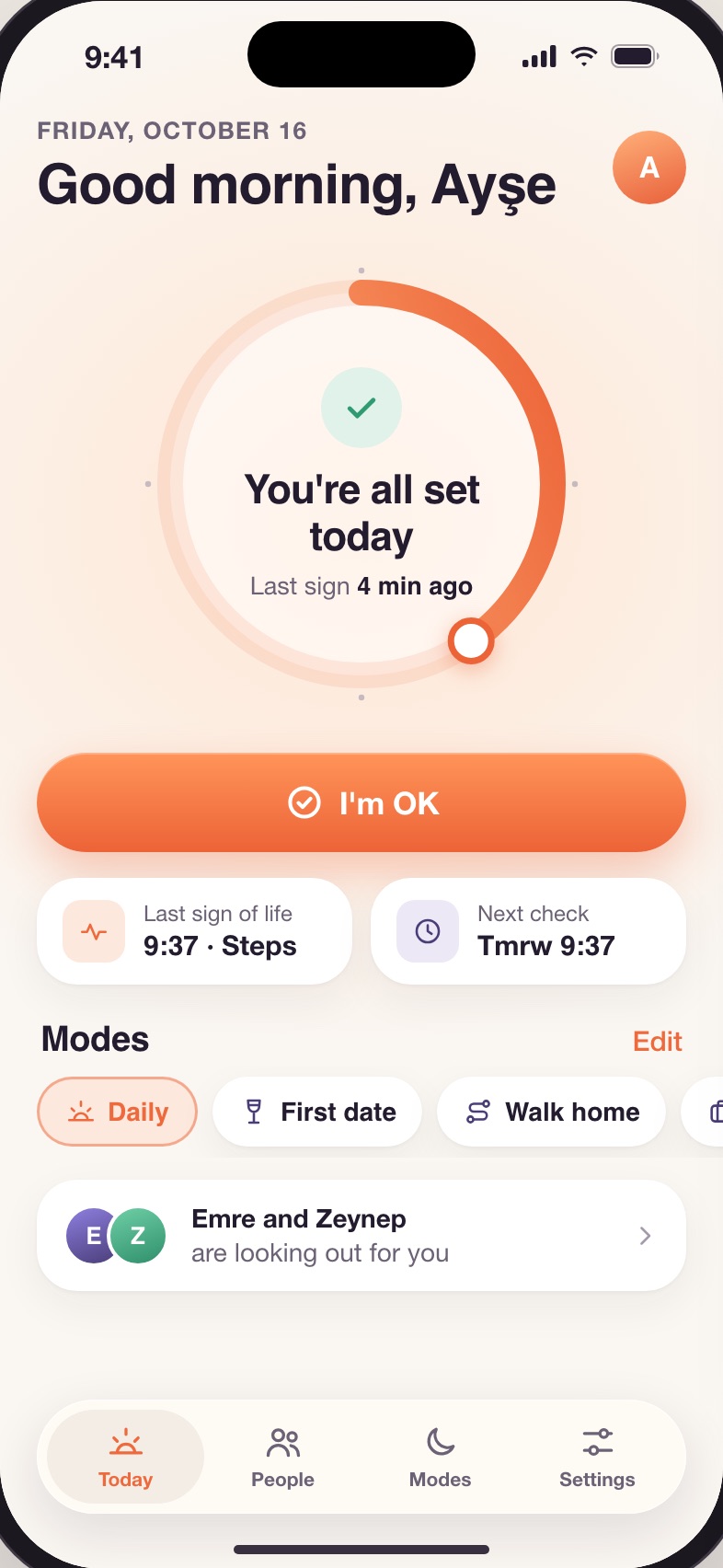
  • Last sign Logged for you, four minutes ago.
  • Optional “I’m OK” is there if you want it.
2Quiet

Gone quiet? You’re asked first. Twice.

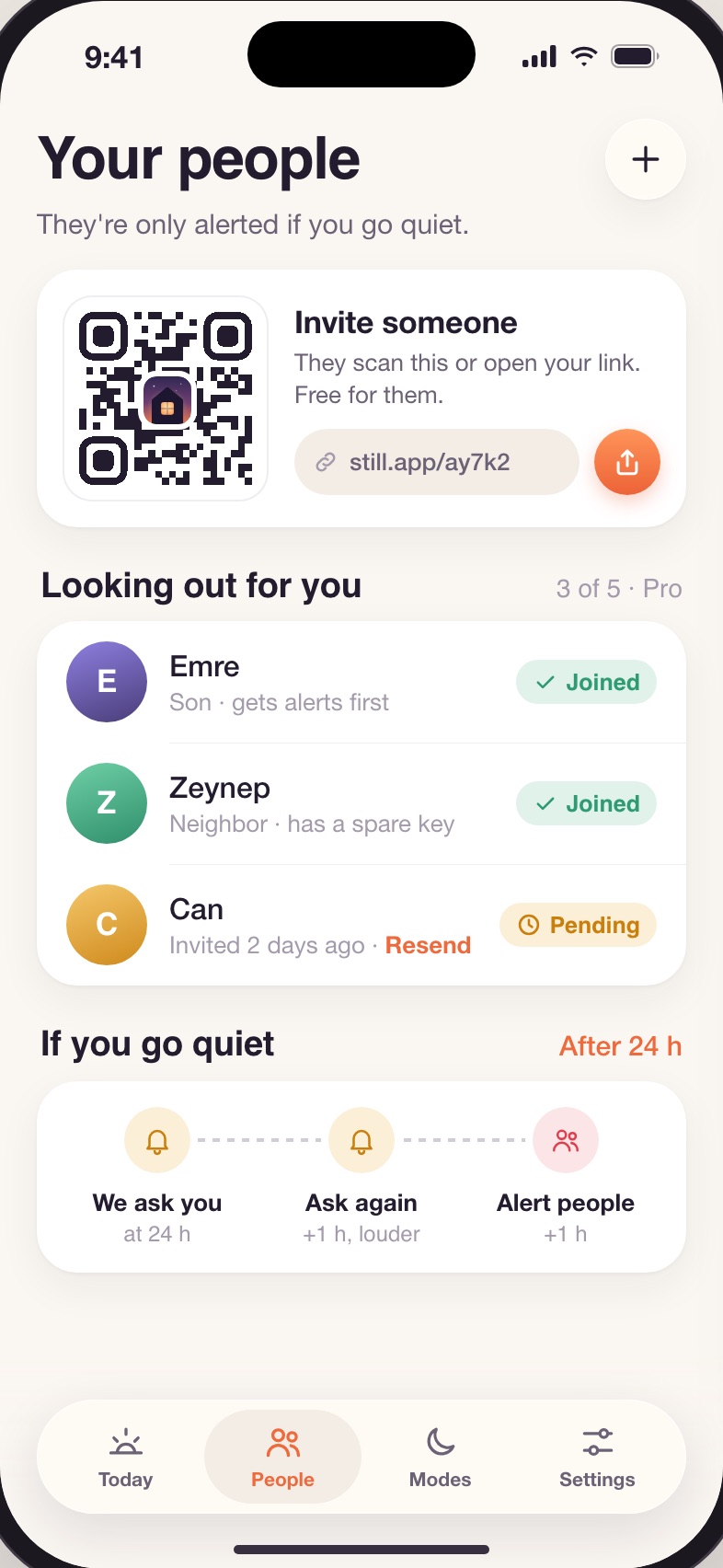
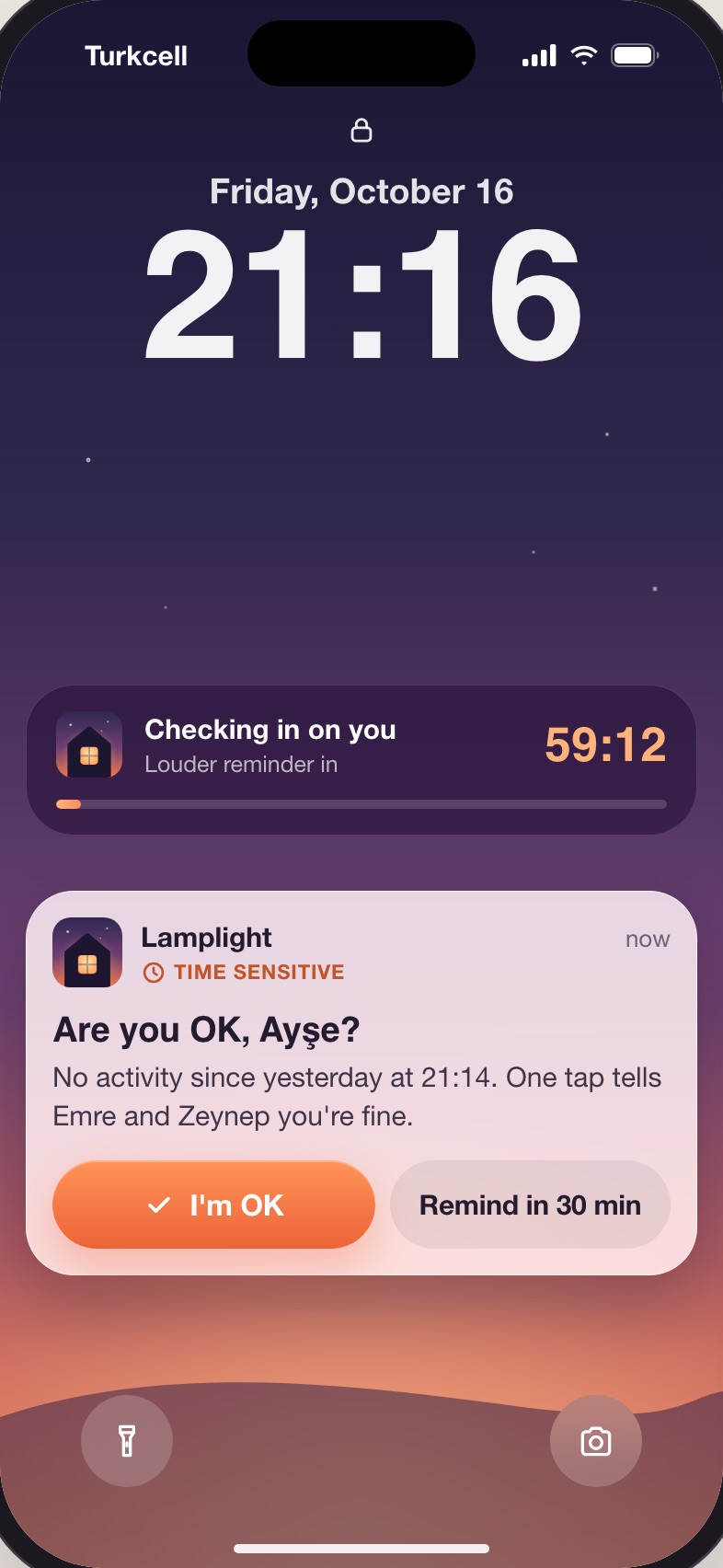
After your quiet period, 24 hours by default and anything from 12 to 48, Lamplight asks if you’re OK. No answer in an hour, it asks again, louder. One tap and nothing else happens.

Quiet period12 to 48 hours, your choiceQuiet hoursRespected. It waits until they’re over.
  • Live Activity An hour to answer, on the Lock Screen.
  • Time-sensitive Comes through Focus modes.
3Alert

Only then do your people hear.

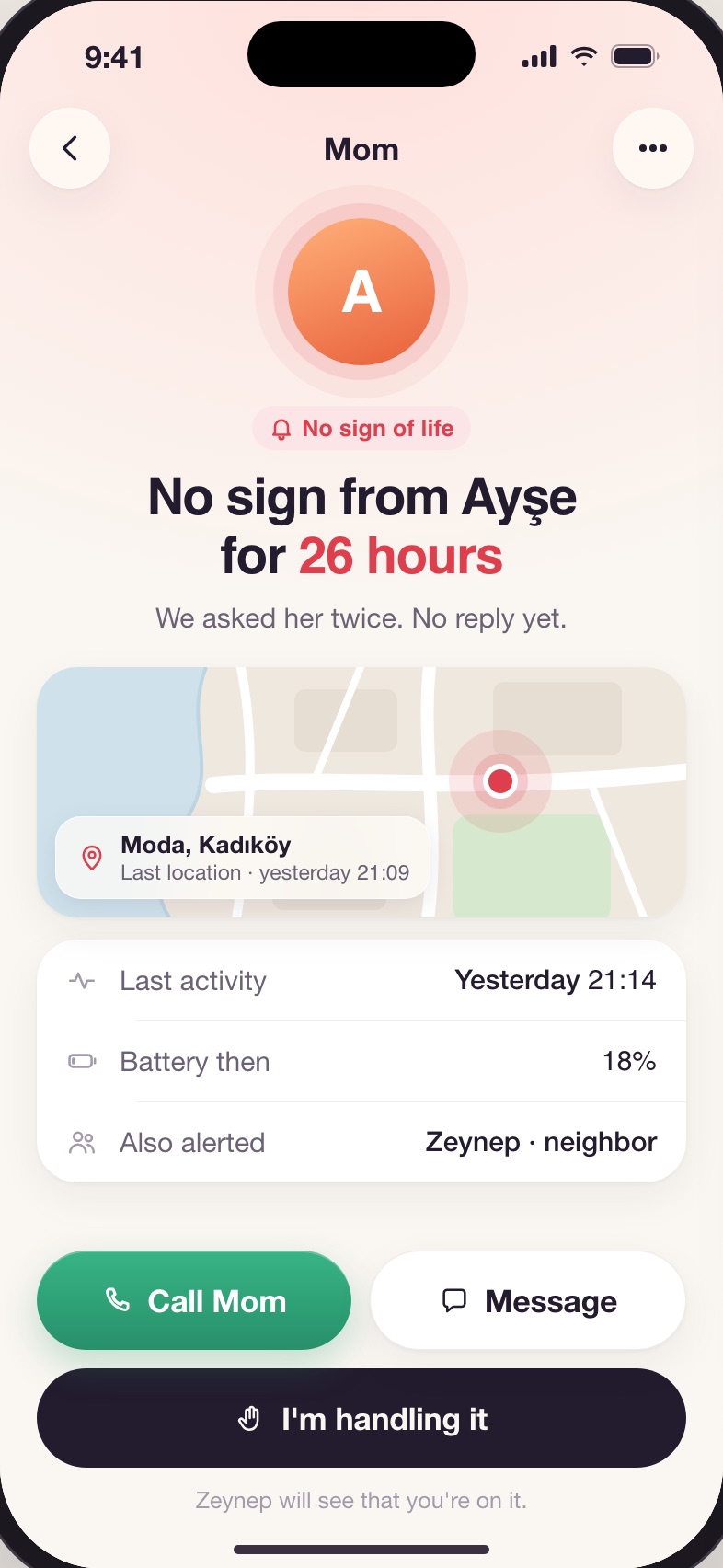
Your contacts see when you were last active and can call straight away. One taps “I’m handling it” so the others know someone’s on it. If it was a false alarm, everyone gets an all-clear.

ContactsUse Lamplight free. Never asked to pay.LocationOnly during an alert, only if you turned it on.
  • Their phone This is Mom’s screen, not Ayşe’s.
  • One person “I’m handling it” stops everyone calling at once.
What it does

Everything Lamplight does, in short.

1

Nothing to remember

No daily button. Opening the app, tapping the widget or moving around with your phone counts as a sign you're fine.

2

You're asked first

Pick a quiet period from 12 to 48 hours. Before anyone hears a thing, Lamplight asks you twice. One tap resets it.

3

Your people, free

Contacts install Lamplight for free, see you're OK at a glance, and tap "I'm handling it" so others know someone's on it.

4

Modes for big nights

First Date, Walk Home and Solo Travel: "If I don't say I'm OK by 23:30, tell my contact." Part of Lamplight Pro.

5

"I'm OK" from anywhere

Say it to Siri, put it on the Action Button, or tap it in Control Center and on the Lock Screen widget, without opening the app.

6

In your language

English, Deutsch, Español, Français, 日本語, 한국어 and Türkçe.

The details

Price, data and the small print.

A safety net, not a tracker.

Free check-ins and alerts, supported by ads that never appear on alert screens. Always free for the people who look out for you. Lamplight Pro: no ads, up to 5 contacts, First Date, Walk Home and Solo Travel modes, and your own quiet period.

Price
Free with ads · Pro for extra modes
Servers
One small server. It stores a random ID and the time of your last sign of life.
Account
None. Your account is a random ID.
Tracking
Safety data is never shared with advertisers. The free version shows Google AdMob ads (never on alert screens), personalised only with your permission. Pro removes ads.
App Store label
Data Not Linked to You for safety data; ads (free version) may use Device ID and usage data
Requires
iPhone, iOS 17 or later
Languages
English, Deutsch, Español, Français, 日本語, 한국어, Türkçe